 Danny
Danny Crosswordia
A full-stack web application that lets users create, solve, and share crossword puzzles while also tracking completed games and solving performance. The platform combines a custom puzzle editor, a browsable gallery of pre-made challenges, mobile-friendly solving controls, and authenticated dashboards that surface player progress, creator activity, and best completion times.
TIMELINE
2022 (maintained)
ROLE
Full-Stack Developer
Technical Stack
Frontend
- JavaScript, Handlebars, HTML, CSS
- Simple Keyboard for virtual keyboard input
- Dictionary API integration for word suggestions
Backend
- Node.js, Express.js
- MongoDB with Mongoose ODM
- Passport.js with Google OAuth
- Handlebars (express-handlebars)
Architecture
Backend Architecture
The application follows an MVC-like architecture:
- Models: MongoDB schemas for Users and Crosswords
- Routes: Express routes handling different application features
- Views: Handlebars templates for rendering pages
- Middleware: Authentication and session management
Database Schema
The application uses two main data models:
User Model
- Google authentication details
- Profile information (name, image)
- Completed puzzle history with timestamps and solve durations
- Creation timestamp and profile-linked activity stats
Crossword Model
- Puzzle metadata (name, size)
- Solution data
- Hints/clues organized by direction and position
- Creator reference (user ID)
- Creation timestamp
Key Features
1. Crossword Creation Interface
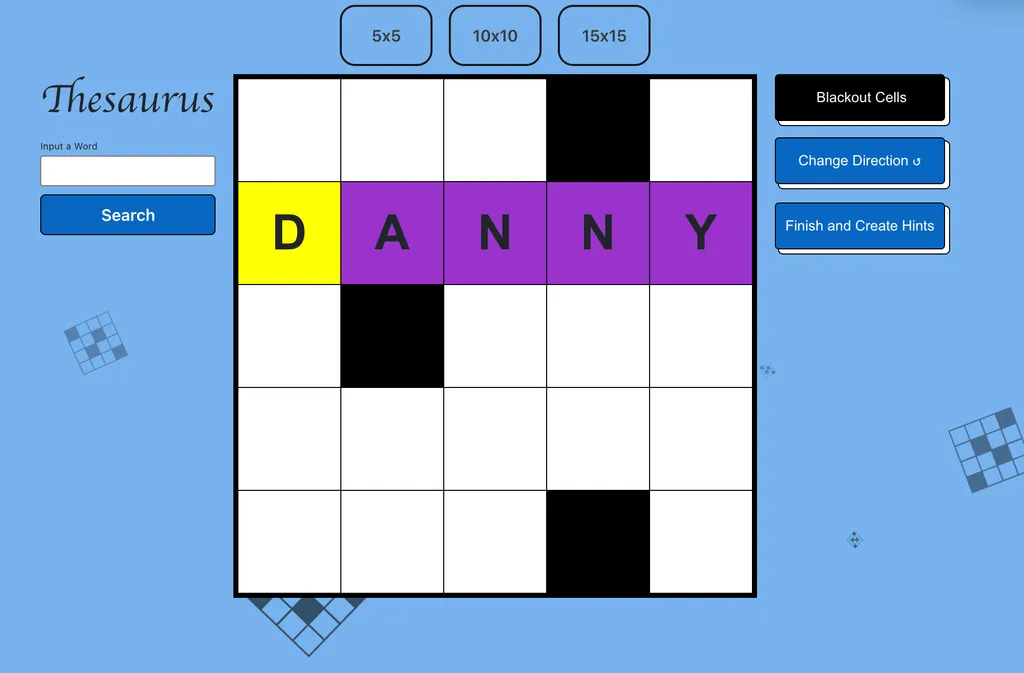
The creation interface (create.js) provides a dynamic grid-based editor with the following features:
- Multiple grid size options (5x5, 10x10, 15x15)
- Toggle between "blackout cells" and "typing" modes
- Automatic highlighting of active word direction (across/down)
- Hint/clue management system
- Thesaurus integration for word suggestions
- Virtual keyboard support for mobile devices
2. Solving Experience
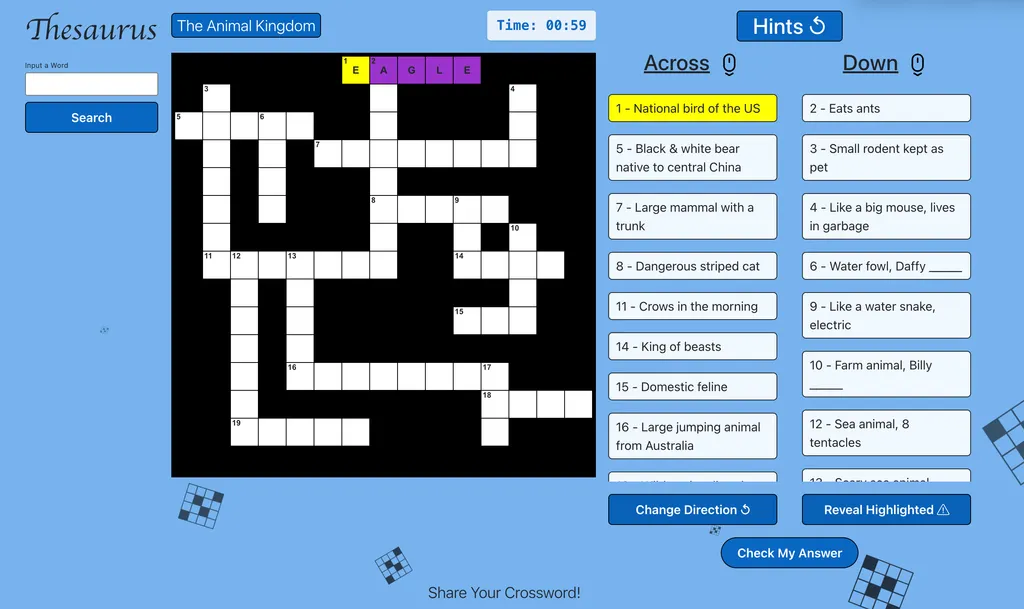
The solving interface (solve.js) offers:
- Interactive grid with automatic word selection
- Synchronized hint highlighting
- Mobile-friendly design with virtual keyboard
- A solve timer that measures total completion time in seconds
- Puzzle-complete detection that records finished games for logged-in users
- Celebration feedback paired with completion logging and success notifications
3. User Dashboard
Users can:
- View all their created puzzles
- Access puzzle statistics
- Delete their puzzles
- Share puzzles via unique links
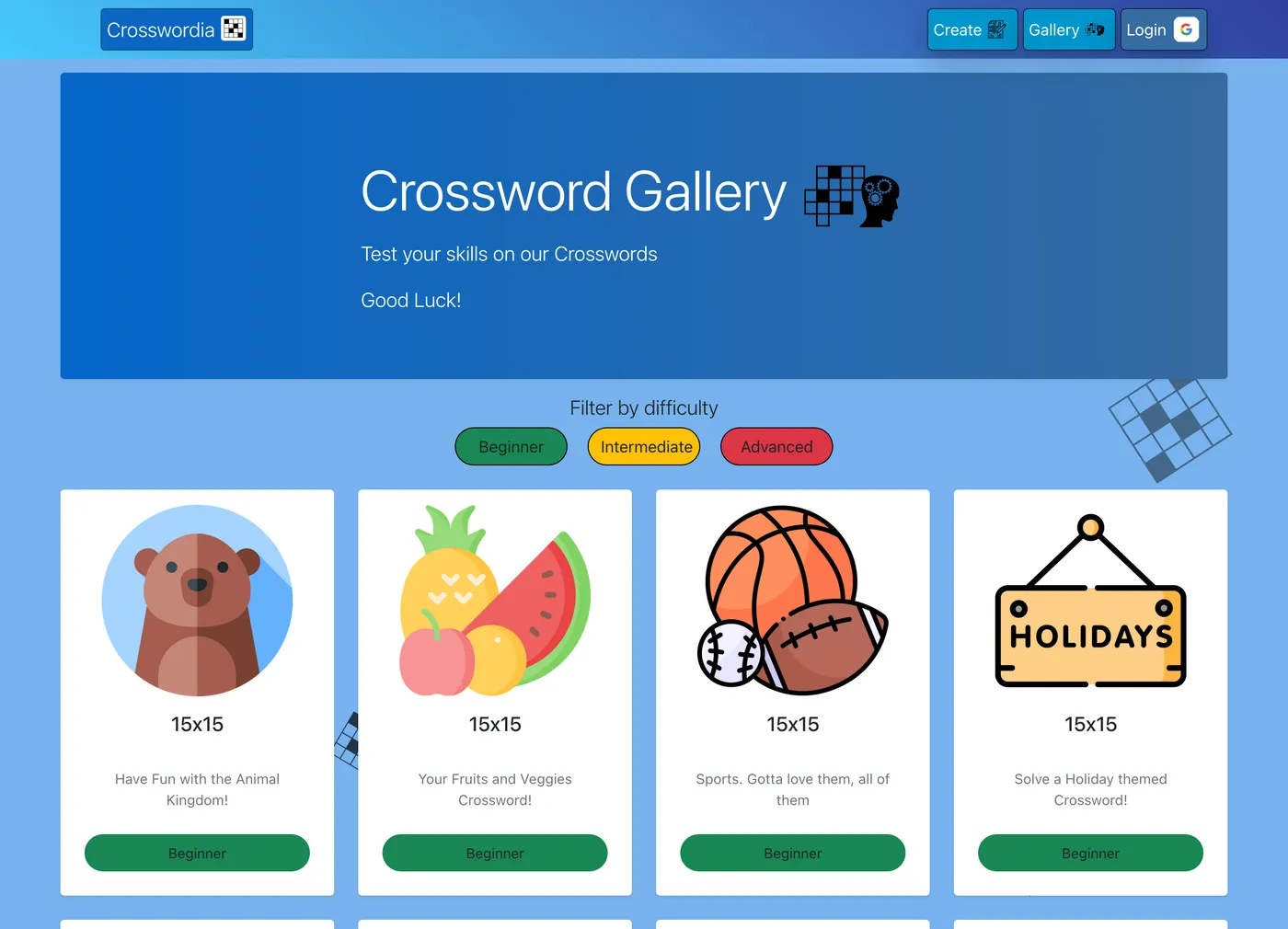
4. Gallery
The gallery showcases puzzles with:
- Difficulty filtering (Beginner, Intermediate, Advanced)
- Thematic categorization with visual icons
- Size indicators
- Preview descriptions
Technical Challenges & Solutions
Challenge 1: Grid Interaction Logic
Creating an intuitive grid interaction system that handles both creation and solving modes required complex event handling. The solution involved:
- Custom event listeners for cell selection
- Direction toggling with visual indicators
- Automatic word highlighting based on cell position
- Keyboard navigation between cells
Challenge 2: Puzzle Data Structure
Designing a data structure to efficiently store and retrieve puzzle information while also preserving player progress required careful consideration. The solution uses:
- A string-based solution grid representation
- A structured object for hints organized by direction and position
- Cell ID mapping for connecting grid positions to hints
- A `completedPuzzles` user field that stores puzzle ID, completion timestamp, and solve duration
- Uniqueness checks that prevent the same puzzle from being counted twice for one player
Challenge 3: Mobile Responsiveness
Making the crossword grid usable on mobile devices presented unique challenges. The experience needed to feel tactile and readable without losing the spatial logic that makes crossword solving satisfying on larger screens.
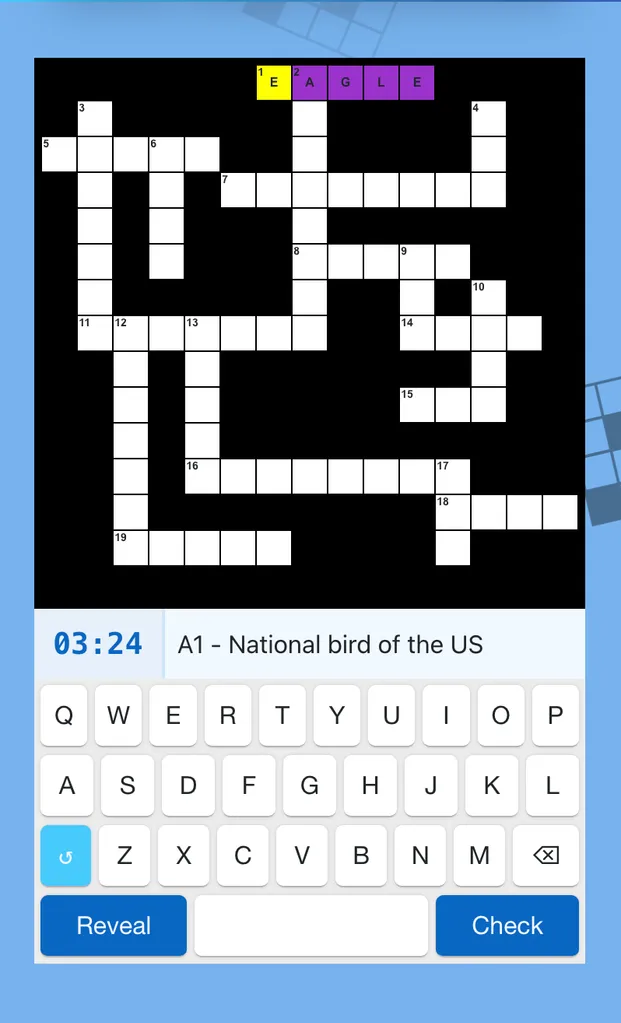
- A virtual keyboard keeps letter entry within thumb reach and removes dependence on the native keyboard
- Touch-friendly cell selection and clue focus make it easier to move through the grid without precision tapping
- Responsive grid sizing and compact clue presentation preserve context on smaller devices
- The timer and active clue bar stay visible so players can keep momentum while solving on the go
Development Process
The application was built using modern web development practices:
- Server Setup: Express.js with middleware configuration
- Authentication: Google OAuth implementation with Passport.js
- Database Integration: MongoDB connection with Mongoose schemas
- Frontend Development: Interactive grid implementation with vanilla JavaScript
- User Experience: Responsive design with intuitive controls
Conclusion
Crosswordia demonstrates effective full-stack development practices by combining:
- Clean, modular JavaScript code
- Intuitive user interface design
- Secure authentication
- Efficient database modeling
- Responsive web design principles
- Player-focused progress tracking that adds replay value and measurable outcomes
The application successfully delivers an engaging platform for crossword enthusiasts to create, solve, and share puzzles across devices while also giving returning users reasons to come back, improve, and track their performance over time.
Let's Build Something Amazing
I'm always looking for new challenges and interesting projects. If you have an idea or need consultation, I'd love to discuss how I can help bring your vision to life.